Choosing the wrong location is one of the most expensive mistakes a business owner can make. An AI site selection tool is the fastest way to avoid it. According to the U.S. Bureau of Labor Statistics, 20.4% of businesses fail in their first year, and location is a primary factor in many of those failures. The financial stakes are too high to rely on intuition alone.
AI-powered location research has matured significantly by 2026, making sophisticated site analysis accessible to businesses of all sizes. You no longer need a corporate real estate team to conduct thorough location research. The technology now handles demographic analysis, foot traffic patterns, competitor mapping, and economic forecasting in a fraction of the time.
Whether you’re scouting your first retail unit, evaluating a franchise territory, or deciding between commercial leases, this guide breaks down the best AI site selection tools for each situation so you can act on real data rather than gut feeling.
What Is an AI Site Selection Tool?
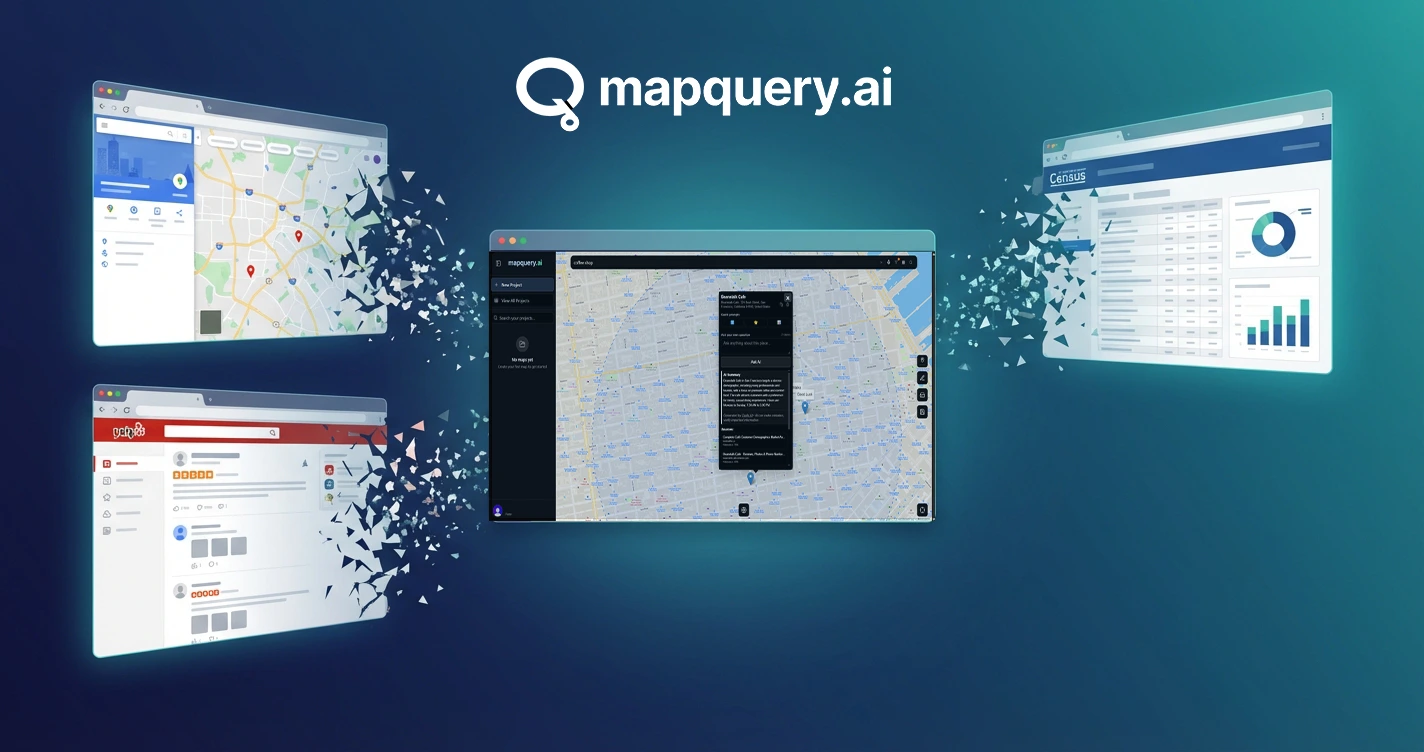
An AI site selection tool is software that combines map-based search with artificial intelligence to evaluate physical locations for business use. It pulls live data from public-facing platforms, including customer reviews, competitor density, foot traffic signals, and neighborhood context, and turns that raw information into structured insights you can act on.
This is different from a simple map search or a static demographic report. A proper AI site selection tool shows you what customers think of existing businesses nearby, what the competitive landscape looks like right now, and whether a specific address sits in a market with room to grow or one that’s already saturated.
The best tools in 2026 share three things: live data rather than cached databases, natural language querying so you don’t need to be a data analyst, and project management features that let you compare multiple candidate sites.

Why AI Outperforms Manual Site Research in 2026
Manual site research typically involves hiring a local broker, pulling census data, visiting properties in person, and spending weeks cross-referencing information from different sources. The process is slow, expensive, and often incomplete by the time you act on it.
AI compresses that timeline dramatically. AI tools reduce the site screening process from an average of 6 to 8 weeks down to just 3 to 5 days, according to Build.inc, citing JLL. For a business owner evaluating three or four candidate markets, that time saving is the difference between securing a location and watching a competitor move in first.
The accuracy improvement matters just as much as the speed. Traditional methods rely heavily on historical data and analyst judgment. AI models integrate real-time signals from dozens of sources simultaneously, which is why they consistently outperform the human-led alternative in independent analysis.
Market Insight
AI-driven site selection models can predict revenue performance with up to 95% accuracy, compared to just 70 to 85% for traditional regression models.
Best AI Site Selection Tool for Small Business Owners
MapQuery.ai: Best for Independent Operators
MapQuery.ai pulls live data from Yelp, Google Maps, TripAdvisor, and Instagram to give you a current picture of any neighborhood you’re evaluating. The Just Ask a Question feature lets you type a plain-English question about a market and get a direct AI-generated answer. No query-building, no raw data to interpret.
The See What’s Around You feature surfaces every relevant business type within your current map view. The Customer Pulse feature aggregates what real customers are saying about businesses in the area, so you can gauge demand and sentiment before you commit. For a deeper look at how sentiment analysis fits into this workflow, see our guide on best sentiment analysis tools for local market research.
Best for
Independent business owners who need live location intelligence without hiring an analyst
Free tier
10 daily credits
Pro tier
1,000 monthly credits, unlimited projects, 500 locations, advanced filtering
One honest limitation: MapQuery.ai is optimized for web-sourced data signals. If your decision depends heavily on proprietary foot traffic counts or parcel-level zoning data, you’ll need to layer in a separate data provider for those specifics.
Built by GeoAsset LLC | mapquery.ai | See current pricing at mapquery.ai/pricing

Best AI Site Selection Tool for Franchise Site Selection
SiteZeus: Best for Multi-Unit Franchise Brands
SiteZeus is purpose-built for multi-unit franchise operators. Its Zeus.ai feature translates complex sales forecasts into plain-language explanations, so real estate, finance, and executive teams can all work from the same data without a dedicated analyst. The platform covers sales forecasting, cannibalization analysis, whitespace analysis, trade area mapping, and territory planning in one system.
SiteZeus reported 25% client base growth in 2025, including multiple Fortune 500 brands. For franchisors managing large networks, the ability to run cannibalization analysis before approving a new unit is a meaningful risk-reduction tool that MapQuery.ai doesn’t offer at the same depth.
Best for
Franchisors and multi-unit operators who need predictive sales forecasting and cannibalization modeling
Pricing
Custom pricing. Contact SiteZeus for a demo and quote.
One honest limitation: SiteZeus does not publish pricing, and the platform is clearly scoped for established franchise systems rather than individual franchisees or early-stage operators.
Best AI Site Selection Tool for Commercial Real Estate
Placer.ai: Best for Foot Traffic-Driven CRE Decisions
Placer.ai is the dominant foot traffic analytics platform in commercial real estate. It pulls visitation data from millions of mobile devices to show you how many people visit a property, where they come from, how often they return, and which other businesses they frequent. The True Trade Area feature maps actual customer origins rather than relying on radius-based estimates, which consistently reveals traffic patterns that traditional methods miss.
For CRE brokers and property managers, Placer’s void analysis is particularly useful. It identifies which tenant categories are underrepresented in a given area based on actual consumer behavior, not just demographic projections. The platform also supports cross-shopping analysis, so you can evaluate co-tenancy synergies before recommending a property to a retail client.
Best for
CRE brokers, property managers, and retail landlords who need foot traffic data and tenant mix analysis
Pricing
Freemium tier available.
One honest limitation: Placer.ai’s strength is foot traffic volume and patterns. It doesn’t pull customer sentiment or review data, so you won’t get qualitative context about why customers do or don’t return to a location. For that layer, you’d need to pair it with a tool like MapQuery.ai.
Best AI Site Selection Tool for Competitor Mapping
Esri: Best for Enterprise-Grade Spatial Competitor Analysis
Esri is the industry standard for enterprise GIS and spatial analytics. Its ArcGIS platform lets you layer competitor locations, demographic data, trade areas, and custom datasets onto a single map environment. RSR’s 2025 retail report identified Esri as the platform used by best-in-class brands to outperform peers in localized competitor and performance analysis.
For operators who need to build custom spatial models, combining proprietary sales data with competitor density, zoning layers, and demographic overlays, Esri offers a level of configurability that purpose-built site selection tools can’t match. It’s the platform of choice when your analysis requirements go beyond what a SaaS dashboard can handle.
Best for
Enterprise retailers, CRE firms, and analysts who need custom spatial modeling and GIS-level competitor mapping
Pricing
ArcGIS Online starts at $100/user/month. Enterprise licensing is custom.
One honest limitation: Esri has a steep learning curve. Getting meaningful output requires GIS knowledge or a dedicated analyst. It’s not a tool you open and start using in an afternoon which is exactly the gap that simpler tools like MapQuery.ai are designed to fill for operators without technical staff.
How to Use an AI Site Selection Tool Step by Step

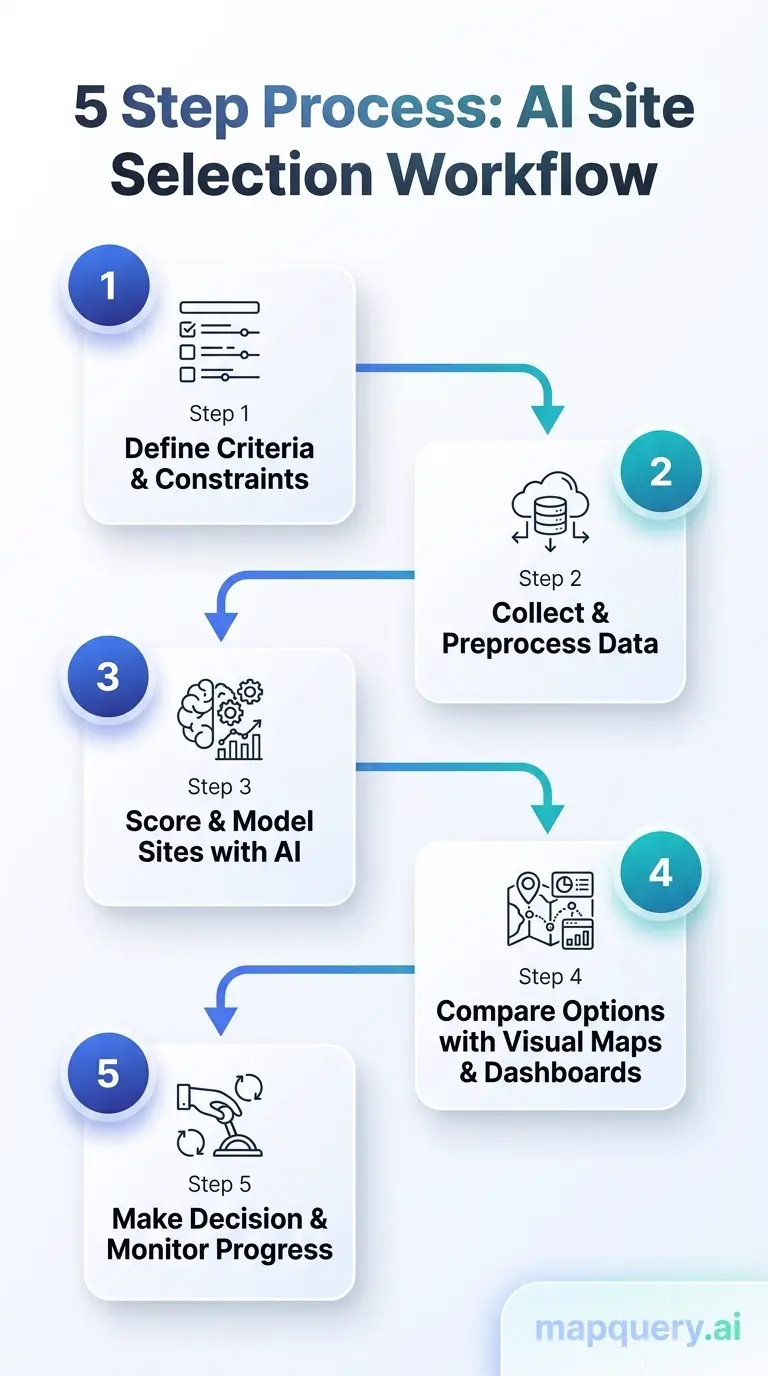
This is the workflow we recommend for any business evaluating a new location with MapQuery.ai. Each step maps directly to a core feature in the platform, so you can move from initial research to a confident shortlist without switching between tools. The entire process is designed to work whether you’re comparing two addresses in the same city or screening markets across multiple states. Follow these five steps in order and you’ll have a structured, data-backed comparison ready to inform your final decision.
Step 1: Create a project
Name it after the city, territory, or property address you’re evaluating. Use the project management tools to keep each candidate market separate and organized. This is the foundation everything else builds on.
Step 2: Search for nearby businesses
Use the See What’s Around You feature to enter a business type and let the map surface every matching pin within your current view. This gives you an immediate read on how active the area is and where competitors cluster.
Step 3: Run AI research on candidate locations
Select individual location pins and use the Just Ask a Question feature to get AI-generated summaries of what’s performing well, what customers are saying, and what the surrounding market looks like.
Step 4: Map your direct competitors
Search for businesses in your category specifically. Save the ones you want to monitor using Saved Map Markers. This is where you identify whether the market is crowded with strong operators or full of underperformers.
Step 5: Save and compare
Use Save Your Research and Saved AI Results to build a side-by-side record of every site you’ve evaluated. Review the results before making your final decision. No extra credits needed to revisit saved research.
The entire process can be completed for a single candidate site in under an hour. For a shortlist of five sites, plan for a focused half-day of research. That’s a fraction of the time traditional methods require, and you’ll finish with organized, comparable data for every location rather than scattered notes and half-remembered impressions. Every search result, AI summary, and saved marker stays in your project, so you can revisit your analysis weeks later without spending additional credits. Learn more about the full feature set at mapquery.ai/features.
Real-World Use Cases for an AI Site Selection Tool

The best way to understand what an AI site selection tool can do is to see how different people actually use one. Below are three real-world scenarios covering a first-time restaurant owner, a multi-unit franchisee, and a commercial real estate broker, each facing a high-stakes location decision with limited time and no dedicated research team. In every case, live competitive data, customer sentiment, and structured comparisons replaced what would have been weeks of manual research.
The First-Time Restaurant Owner
Sarah is opening her first fast-casual restaurant and has narrowed her search to three neighborhoods. She creates a MapQuery project for each, searches for existing restaurants within each map view, and runs AI research on the top-rated locations. The Customer Pulse feature shows two of the three neighborhoods have consistent complaints about long wait times and limited healthy options, which signals demand her concept could meet. She opens in the neighborhood with the strongest unmet demand signal and avoids the one dominated by a well-funded competitor.
The Multi-Unit Franchisee
Marcus manages three existing franchise units and is evaluating a fourth location in a new market. His franchisor gave him a territory map, but he needs to validate which specific address makes the most sense. He uses MapQuery to compare three shortlisted addresses, map competitor density around each one, and save AI research summaries for all three. He presents the comparison with structured data rather than a verbal recommendation, and the decision gets approved faster because the rationale is clear.
The Commercial Real Estate Broker
Elena represents a retail tenant looking to lease 2,000 square feet in a mixed-use development. Before presenting three candidate properties, she runs MapQuery research on the business ecosystem surrounding each one. She discovers that one property sits adjacent to a cluster of businesses with consistently poor reviews, suggesting weak local consumer traffic. She leads with the other two properties and uses the AI summaries to support her recommendation in the client meeting.
Frequently Asked Questions
What does an AI site selection tool actually do?
An AI site selection tool pulls live data from sources like Google Maps, Yelp, and TripAdvisor to map nearby businesses, analyze customer sentiment, and surface competitive context around any address you want to evaluate. It replaces hours of manual research with a structured, data-backed summary you can act on immediately.
How accurate is AI for site selection compared to traditional methods?
AI-driven site selection models can predict revenue performance with up to 95% accuracy, compared to 70 to 85% for traditional regression models. The gap comes from AI’s ability to process live, multi-source data rather than relying on static demographic reports that may be months or years out of date.
Is an AI site selection tool suitable for small business owners, not just
large retailers?
Yes. Tools like MapQuery.ai are built specifically for small business owners, franchisees, and independent operators who don’t have a dedicated real estate analyst on staff. The free tier requires no credit card and gives you enough research credits to evaluate several locations before committing to anything.
How long does it take to research a location with an AI site selection tool?
AI tools reduce the site screening process from an average of 6 to 8 weeks down to just 3 to 5 days, according to
Build.inc, citing JLL
. For a solo business owner, that means you can evaluate and compare multiple candidate sites in the time it used to take to evaluate just one.
What data sources does MapQuery.ai pull from for site selection research?
MapQuery.ai pulls live data from sources including Yelp, Google Maps, TripAdvisor, and Instagram. Because the data is pulled in real time rather than from a static database, what you see reflects current business conditions in the area you are researching.
Do I need a paid plan to use MapQuery.ai as an AI site selection tool?
No. The free tier of MapQuery.ai gives you 10 daily research credits, up to 3 saved projects, and up to 50 locations per project with no credit card required. For more demanding projects, the Pro plan offers 1,000 monthly credits, unlimited projects, up to 500 locations per project, and priority email support. See current pricing at mapquery.ai/pricing.
Find the Right AI Site Selection Tool for Your Situation
An AI site selection tool doesn’t replace your judgment. It replaces the guesswork. The tools covered in this guide all do the core job of turning raw location data into structured insights. For most small business owners, franchisees, and commercial real estate operators in 2026, MapQuery.ai covers the key bases without requiring technical expertise or a large subscription budget.
The free tier gives you enough to test it against a real location you’re evaluating. If the research changes how you think about even one site decision, it’s already earned its place in your process.
For a deeper look at how the platform works across each of these use cases, the MapQuery.ai blog covers location intelligence topics written for business operators, not developers. You can also explore our guides on sentiment analysis tools for local market research and competitor analysis tools for location-based businesses for the full picture.

Research Your Next Location with Live AI Intelligence
MapQuery.ai gives you live location intelligence for restaurants, retail, franchises, and commercial real estate. Start free, no credit card required.